Download AI Studio Project Codebase as ZIP
This article explains how to download your AI Studio project codebase as a ZIP file, giving you full access to your code outside the platform.
You'll learn how to download the latest version of your project, access older versions from your project history, and understand what this capability means for your development workflow.
What Is Download Codebase?
Download Codebase allows you to export your complete AI Studio project as a ZIP file. This gives you direct access to all the code files that make up your website or application.
The ZIP file contains your entire project structure, including all HTML, CSS, JavaScript, and other code files you've built within AI Studio. You can extract this ZIP file on your local machine and work with the code in any development environment you prefer.
This feature also includes access to older versions of your project. If you've made changes over time and want to download a previous version, you can select any version from your project history and download it as a separate ZIP file.
Key Benefits
Downloading your AI Studio codebase gives you complete flexibility over how you develop and deploy your project.
How to Download the Latest Codebase
You can download your current project codebase using two different methods. Both methods download the latest version of your project as a ZIP file.
Open your AI Studio project and click Code from the top navigation menu.
Scroll down to the bottom of the Code section.
Click the Download Codebase button. Your project will be packaged and downloaded as a ZIP file to your computer.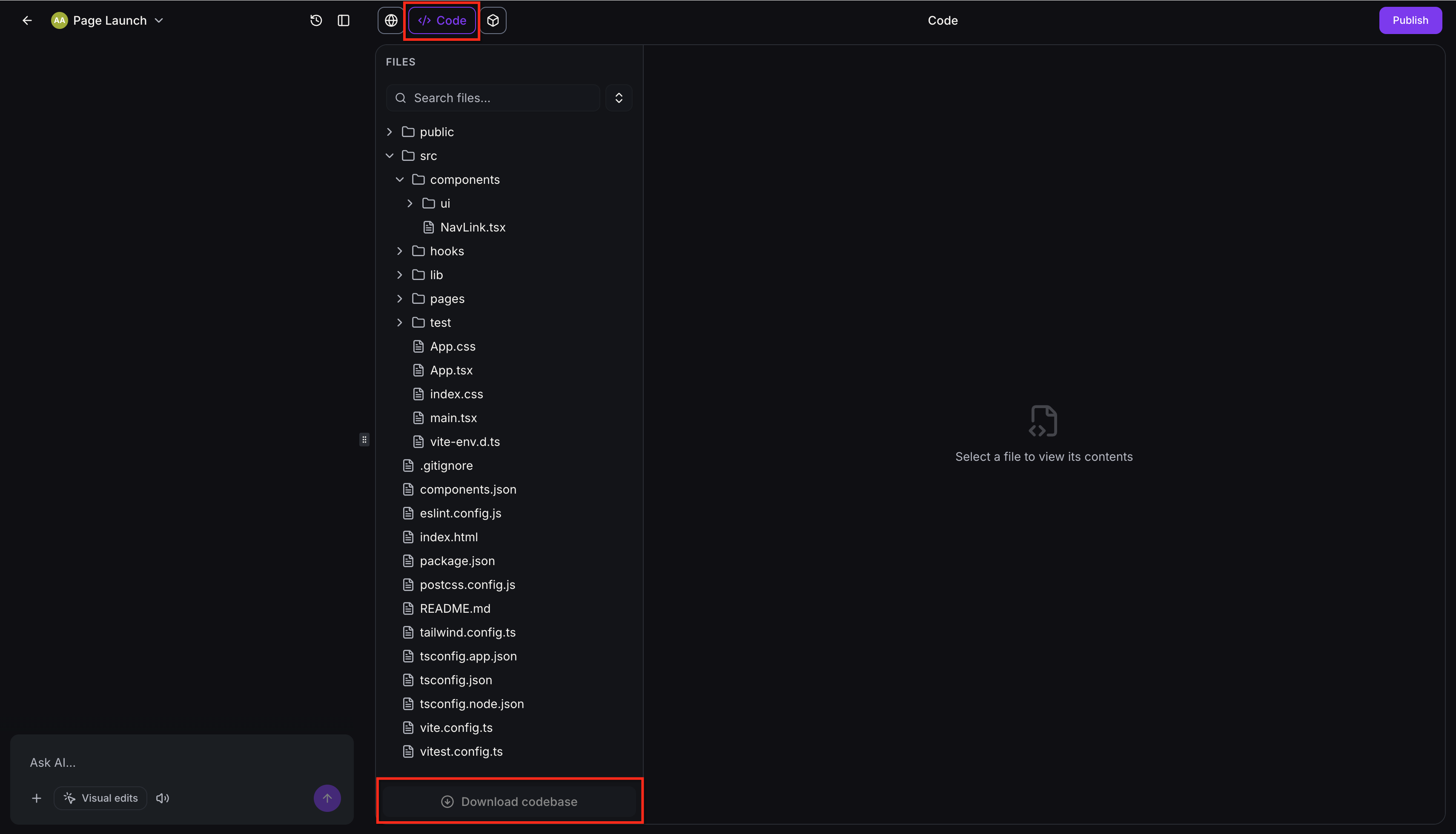
Open your AI Studio project and navigate to Project Settings.
Locate the Download Codebase option in the settings panel.
Click the button to download your project as a ZIP file.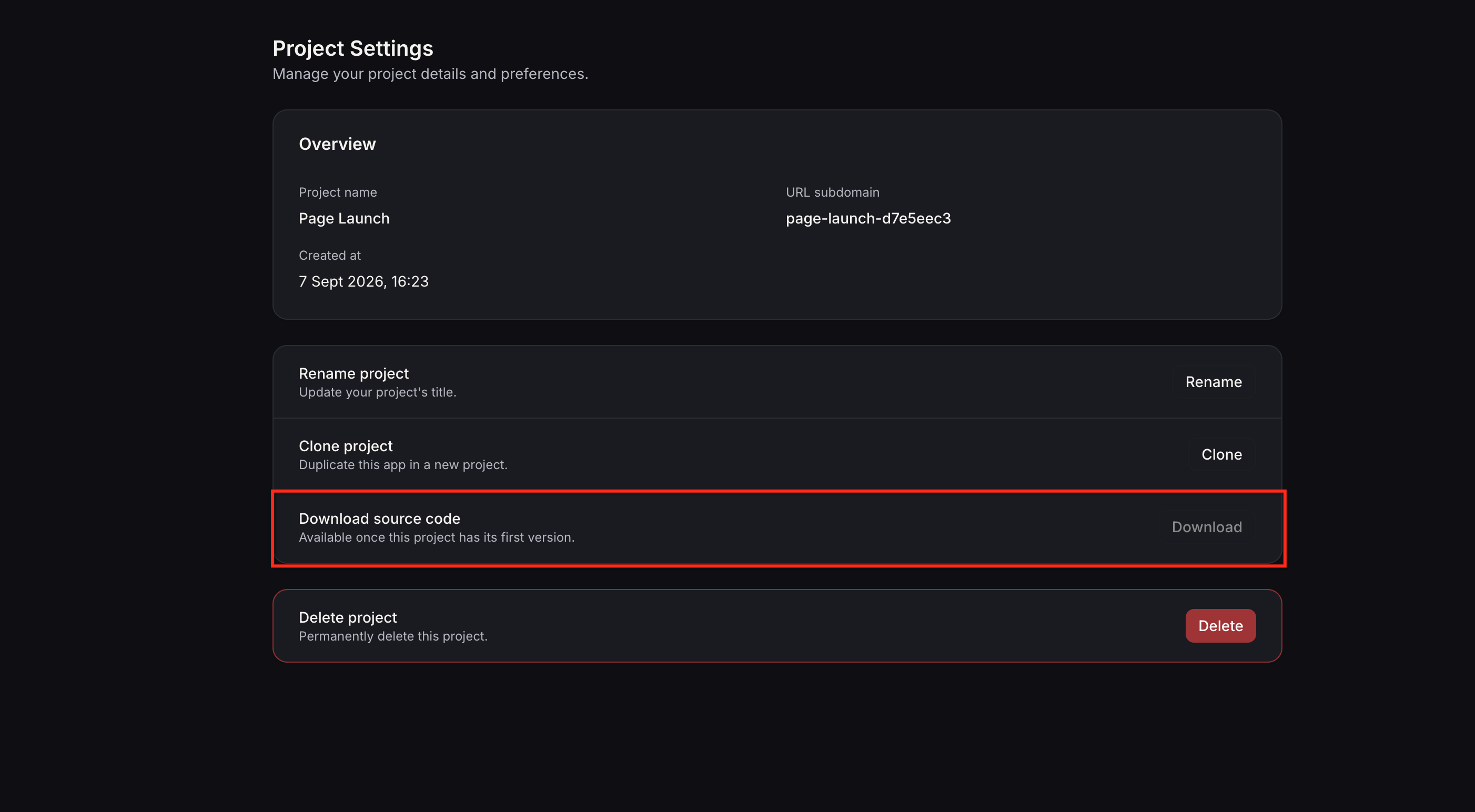
After clicking the download button, your browser will save the ZIP file to your default downloads folder. You can then extract the ZIP file to access all your project files.
How to Download Older Versions
If you need to access a specific previous version of your project, you can download any version from your project history as a separate ZIP file.
Navigate to your project's Version History. This panel shows all saved versions of your project over time.
Locate the version you want to download. Each version entry displays the date and time it was saved.
Click the three-dot menu (⋮) next to the version you want to download.
From the menu, select Download ZIP. The selected version of your project will be downloaded as a ZIP file.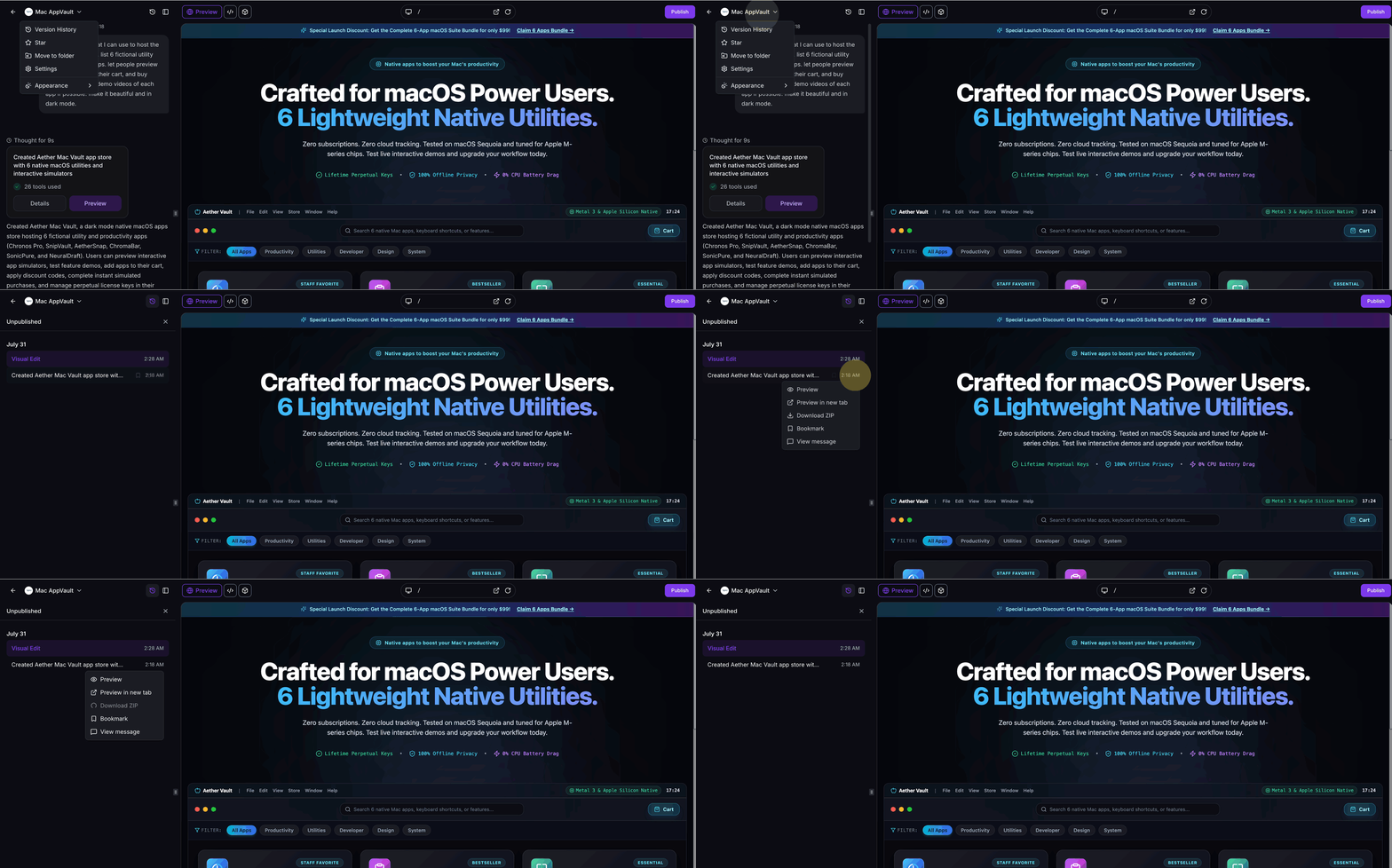
Downloading older versions is useful for comparing code changes, reverting to previous functionality, or retrieving code from a specific point in your project timeline.
Frequently Asked Questions
If you encounter issues downloading your codebase or have questions about working with the downloaded files:
- Open your AI Studio project and navigate to the Help or Support section for in-app assistance.
- Check that your browser allows file downloads and that you have sufficient storage space on your computer.
- If a download fails, try using a different browser or clearing your browser cache before attempting the download again.